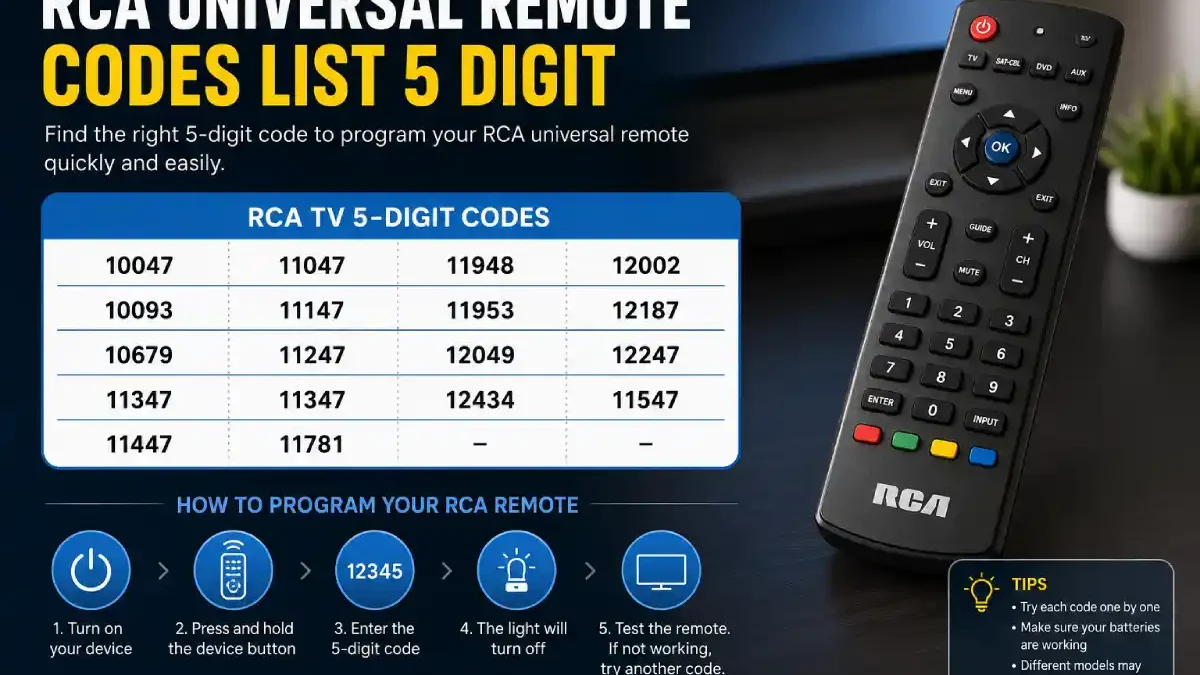
Do you have an RCA universal remote sitting on the table that just isn’t working with your TV? It can very likely be a rather simple problem to resolve. Most of the time, you just need the right program code for your RCA universal remote.
Five-digit codes are the most common way in which many RCA universal remote controls allow you to pair them with a compatible Television or home entertainment component. One important note that causes confusion for most users is that RCA does not have one 5-digit code list that works on every RCA universal remote control. The code is likely to differ based on whether it is the remote’s revision number, device type and brand. RCA provides a dedicated code finder where users can select the remote revision, device brand, and device type.
This guide explains what RCA 5-digit remote codes are, provides commonly reported codes, shows how to program the remote, and explains what to do when the first code does not work.
Table of Contents
What Is an RCA Universal Remote Code?
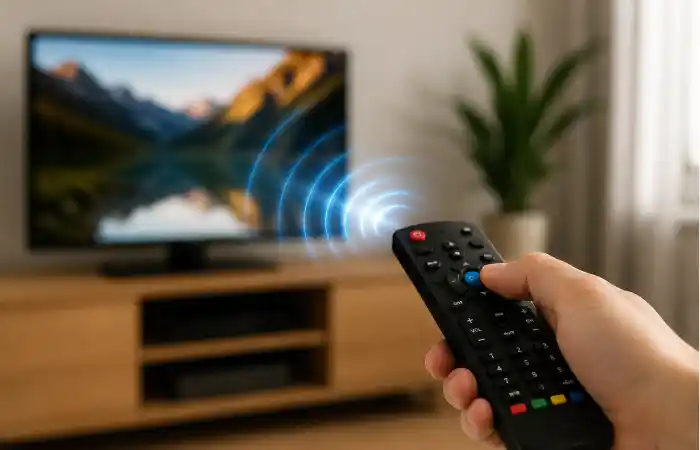
An RCA universal remote code is a sequence of numbers that signals the universal remote which make and model of equipment to communicate with. It’s like a little translation sheet for how those commands should be sent. The correct code can convert commands for power, volume, channel, and input.
Your remote uses a 5-digit code if its programming number has five digits (like 11547, for instance).
It’s crucial to realise the 5-digit code alone doesn’t make your RCA equipment programmable; the remote it’s tied to actually has to work with that specific model.
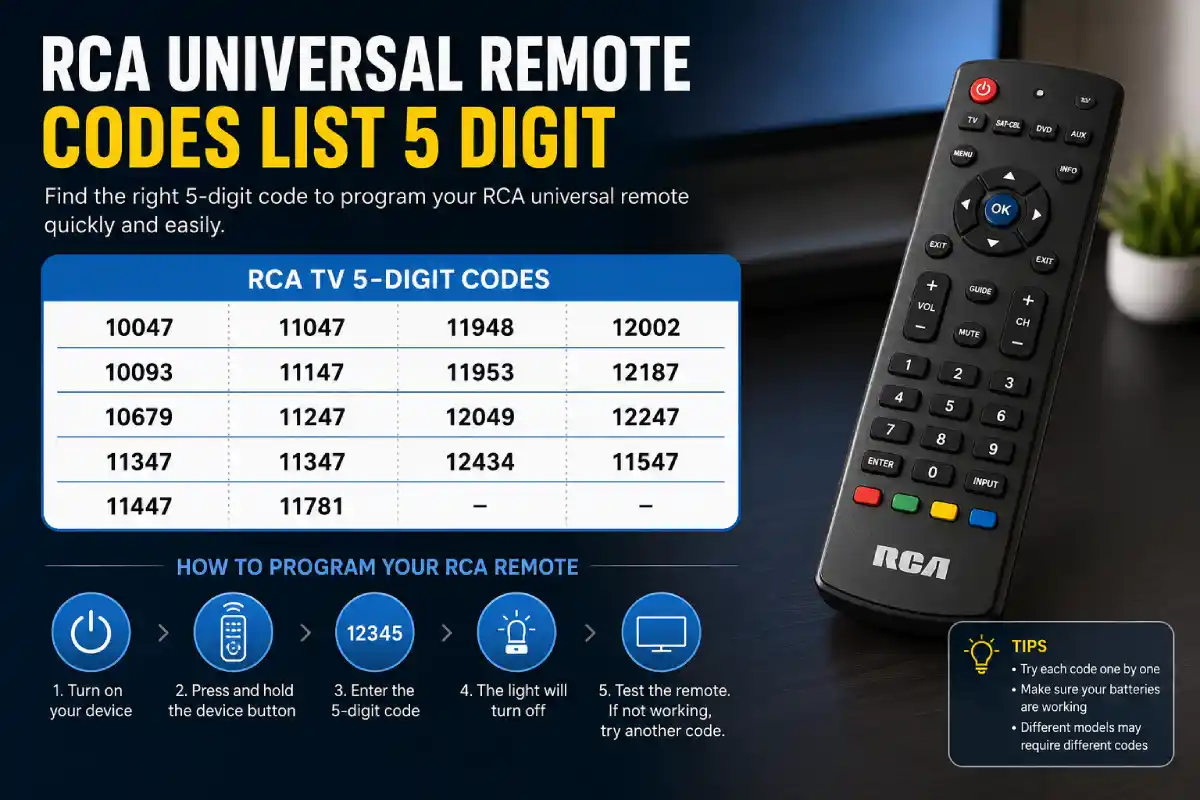
RCA Universal Remote Codes List 5 Digit
The following codes are commonly listed for RCA televisions with universal remotes:
| RCA TV 5-digit code | RCA TV 5-digit code |
| 10047 | 11047 |
| 10093 | 11147 |
| 10679 | 11247 |
| 11347 | 11347 |
| 11447 | 11547 |
| 11781 | 11948 |
| 11953 | 12002 |
| 12187 | 12247 |
| 12434 | 12049 |
Here are 11547, 11447, 10047, 10093, 10679, 11047, 11147, 11247, 11347, 11781, 11948, 11953, 12002, 12187, 12247, 12434; it looks as though 5-digit codes for RCA TVs are not unusual.
Another presently posted RCA TV support document just shows 11547, 12049, 12187, and 12434. Since 5-digit codes vary from one remote to the next in an RCA TV line (even within current support documents that cover various generations of sets), I would say to view these as commonly used 5-digit RCA remote codes rather than as guaranteed codes for your specific remote.
Why Are There So Many RCA Remote Codes?
Why there is such a large number of remote control codes, you wonder, is actually because universal remote controls have to support different generations of devices. Different brands of remote control codes span many generations, and some may even have different sets of codes for similar infrared signals even if the brand names are the same. A universal remote therefore stores multiple command profiles for the same manufacturer.
That is why entering one code might give you power control but not volume control, while another code may operate every major function correctly.
For that very same reason, you may want to test all of the codes instead of presuming that one of the numbers will be sufficient for a solution.
RCA 5-Digit Codes vs. 4-Digit Codes
One of the most frequent errors happens when programming the remote – entering a 4-digit code for a remote expecting 5, or vice versa. It is known that different models of the same RCA remote, such as remotes controlling RCA TV sets, accept different formats of codes; RCA support has users choose the model revision to search for the device code.
| Code format | Typical use | What to do |
| 3-digit | Older universal remotes | Check the remote manual |
| 4-digit | Certain RCA remote generations | Use the matching revision list |
| 5-digit | Many newer RCA-compatible remote configurations | Use the correct five-digit list |
The number of digits alone should never be used to determine compatibility. Your remote’s model or revision number is the better starting point.
How to Find Your RCA Remote Revision Number
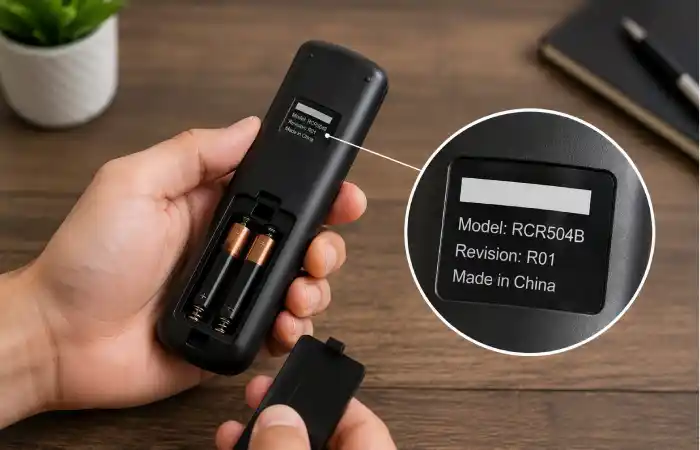
Before trying dozens of codes, look at the remote itself.
The revision or model information is commonly printed on the back of the remote or inside the battery compartment. RCA’s official code finder is designed around this information. Once you identify the revision, you can select the device brand and device type to locate the appropriate codes.
This small step can save a surprising amount of time.
If your remote says something like RCR, R271, or another model/revision identifier, write that number down before beginning the setup process.
How to Program an RCA Universal Remote With a 5-Digit Code
The exact button sequence varies by RCA remote model, so always check the instructions supplied with your remote. However, direct code entry generally follows a simple pattern.
Step 1: Turn on the device
Manually switch on the television or other device you want to control.
Do not begin with the device turned off unless your particular remote’s instructions specifically require it.
Step 2: Select the device button
Press and hold the appropriate device button, such as TV, according to your remote’s instructions.
The indicator light normally signals that the remote has entered programming mode.
Step 3: Enter the five-digit code
Use the numeric keypad to enter one of the five compatible-digit codes.
For example, if the code is 11547, enter:
1 → 1 → 5 → 4 → 7
Avoid pressing extra buttons between digits.
Step 4: Test the remote
After programming, try several important controls:
- Power
- Volume up and down
- Channel up and down
- Mute
- Input/source
- Menu or navigation buttons
Testing more than the power button is important. A code can appear successful because the television turns on or off, while other functions may not operate correctly.
Step 5: Try the next code if necessary
If the remote does not respond properly, repeat the process with another code from the correct list.
RCA’s documentation describes multiple programming methods, including direct code entry, brand-code search, manual code search, and automatic code search on supported remotes.
What If the first 5-digit code does not work?
Don’t assume that the remote is defective.
The first code is simply one possible command profile. Try the next compatible code listed for your remote revision and device.
For example, if 11547 does not work, you might try another applicable code such as 12049, 12187, or 12434, provided those codes correspond to your specific remote and device combination. RCA’s current support information lists these among common codes for RCA TVs
There is a practical reason for trying more than one code: two codes can both be associated with the same manufacturer but behave differently with a particular television generation.
What Does It Mean When Only Some Buttons Work?
This is a particularly useful troubleshooting clue.
Suppose the remote turns your TV on and off, but the volume buttons do nothing. That usually means the remote has found a partially compatible command set rather than achieving complete compatibility.
Try another code from the appropriate list.
The same principle applies when:
- Power works, but volume does not.
- Volume works, but channel controls do not.
- The menu opens, but navigation buttons fail.
- Some buttons perform the wrong function.
- Input selection does not respond.
A successful setup should be judged by overall functionality, not simply whether the power button works.
RCA Universal Remote Code Comparison
| Situation | Best approach | Why |
| You know the remote revision | Use RCA’s code finder | Gives model-specific results |
| You have a 5-digit RCA remote | Start with the applicable 5-digit list | Prevents incorrect code formatting |
| First code fails | Try the next compatible code | Multiple codes may exist |
| Some buttons work | Test another code | The current code may be only partially compatible |
| You cannot find a code | Use manual/automatic search if supported | Useful when direct entry fails |
| Remote still does not respond | Check batteries and device mode | Setup problems are not always code-related |
RCA Code Finder: The Most Reliable Starting Point
When available, the official RCA code finder is generally preferable to copying a random code from an online list.
RCA’s support page provides tools for finding the remote revision, looking up a device code, and learning how to program the remote.
The RCA Accessories code finder similarly asks for:
- Revision number
- Device brand
- Device type
It also provides an option to try the codes stored in the remote when the brand is not found in the standard selection.
That matters because online code lists may combine numbers from several RCA remote generations.
Common Mistakes When Entering RCA Remote Codes
Using a code for the wrong remote
This is probably the biggest mistake.
A code that works with one RCA remote revision may not work with another. Always match the code list to the remote model whenever possible.
Mixing four-digit and five-digit codes
A code such as 1004 is not interchangeable with a five-digit code simply because both appear in an online search.
Use the format required by your specific remote.
Testing only the power button
Power is not enough to confirm successful programming.
Test volume, channels, mute, input, and navigation before deciding that the code is correct.
Holding buttons too long
Some remotes enter a different mode when buttons are held for an extended period. Follow the programming sequence specific to your remote rather than repeatedly pressing random combinations.
Ignoring the batteries
Weak batteries can make a programming process look like a code problem. If the LED is dim or the remote responds inconsistently, replace the batteries before spending a long time testing codes.
Can an RCA Universal Remote Control Other Devices?
Yes, depending on the remote model.
Universal RCA remotes may be designed for televisions, DVD players, VCRs, cable or satellite receivers, streaming equipment, and other home-theater components. RCA’s documentation describes remotes that can control multiple device categories and explains that the appropriate device key must be programmed for the component.
However, a code intended for an RCA television should not automatically be used for an RCA DVD player or another device.
Device type matters just as much as brand.
What If Your Device Brand Is Not Listed?
If your brand does not appear in a printed code list, don’t immediately conclude that the remote cannot control it.
Some RCA remotes support manual or automatic code searching. RCA’s documentation identifies several programming methods, including manual code search and auto code search.
This can be especially helpful with less common brands or newer devices.
The search method essentially allows the remote to cycle through stored command sets until the device responds.
A Simple Way to Organize Your Setup
If you are programming several devices, keep a small record of the successful codes.
For example:
- TV — successful code
- Soundbar — successful code
- Streaming device — successful code
- DVD player — successful code
This becomes useful when batteries are replaced, the remote is reset, or someone accidentally reprograms a device button.
It also saves you from repeating the entire trial-and-error process later.
Final Thoughts
Finding the right RCA universal remote codes list 5 digit is not really about discovering one magical number. The better approach is to identify the remote revision, determine the correct device category, and then use the code list intended for that combination.