
![Kitboga Voice Changer [Make Your Voice Like Kitboga]](https://www.worldwidewebblog.com/wp-content/uploads/2025/12/kitboga-voice-changer-1200x675.jpg)

Table of Contents
Introduction
Kitboga is arguably one of the internet’s biggest scam-baiters. He is well-known for revealing fraudsters online by using clever disguises, funny characters, and intelligent social engineering. His famous method—using voices such as an older woman, a strict manager, or a confused caller interchangeably—helps him keep scammers on the line, thus allowing him to get hold of the required information and to waste their time.
To achieve this, Kitboga uses voice changers extensively, which are devices or software that enable him to change his real voice to different characters instantly. These voice changers are not only for fun—they are necessary for the purpose of identity protection, the creation of believable characters, and the successful catching of scammers without giving away any personal details. Today, even gamers and streamers use similar tools, whether for anonymity or fun—just like when players use a Valorant voice changer to disguise their voice during gameplay.
Here, you will understand the operation of Kitboga voice changers and the top voice-changing tools that can help you sound like him.
What Program Does Kitboga Use to Alter His Voice?
Kitboga doesn’t just depend on the usual software voice changer. What he does is employ top-of-the-line professional hardware to get fluid, lifelike, real-time voice changes that are essential for long scam-baiting calls.
Roland VT-3 Voice Transformer
One of the most important tools in Kitboga’s trench is the Roland VT-3, a hardware voice changer known for its very clear and low-latency voice effects. He can therefore very efficiently and rapidly switch from one type of character to another, such as an old lady, a crazy man, a robot, or just by pressing a button or changing a slider, create a funny accent.
GoXLR Mixer
GoXLR, an excellent audio interface and mixer, which is also very popular among streamers, is another tool in Kitboga’s armory. It gives him the freedom to layer effects, adjust the pitch, change the tone, and regulate the audio levels on-the-fly—thus enabling him to make swift transitions between different characters while still sounding like a normal human voice.
How Kitboga Changes His Voice When Scam Baiting
By Kitboga’s voice setup means the changes of pitch, format, tone, and equalization that happen in real time. The hardware enables him to:
- Raise or lower the pitch to make the voice sound younger or older
- Change formants to alter vocal characteristics (for instance, feminine or elderly tones)
- Use effects for funny or exaggerated characters
- Quickly change presets when different personas are used
- Still have broadcast-quality audio without noise
With this mixture, Kitboga has the capability of presenting real characters, keeping his identity secret, and scammers can be with him for long periods. This is a very important thing for the success of scam baiting.
Top 2 Kitboga Voice Changer Apps
Here are the top 2 Kitboga Voice Changer Apps:
1. EaseUS VoiceWave
EaseUS VoiceWave is a top-tier alternative to the Kitboga voice changer if that person is seeking a live voice change with a natural, seamless result. The device is essentially a one-character solution for gamers, streamers, prank-call makers, and content creators who require fast-switching without any delay — the very kind of versatility which Kitboga exploits in his scam-baiting communication. By having so many effects, a built-in soundboard, plus AI-influenced pitch/tone mods, VoiceWave is basically a walk in the park for different persona impersonations, identity concealment, or just giving a stream or a chat session a little extra sparkle.
Key features
- Real-time AI voice changer with ultra-low latency
- 200+ voice filters & 300+ soundboard effects
- Noise reducer + audio mixer for clear, stable output
- Compatible with Discord, Zoom, Twitch, OBS, Roblox, Fortnite, and more
- Voice recorder and support for changing voices in videos & audio
- 1000+ online games and messaging apps supported
- Beginner-friendly interface with one-click presets
- Free version available with option to upgrade for unlimited effects
Steps to Change Voice with EaseUS VoiceWave
Step 1: Launch the software
Download and install EaseUS VoiceWave on your PC, then open the program to access its real-time voice tools.
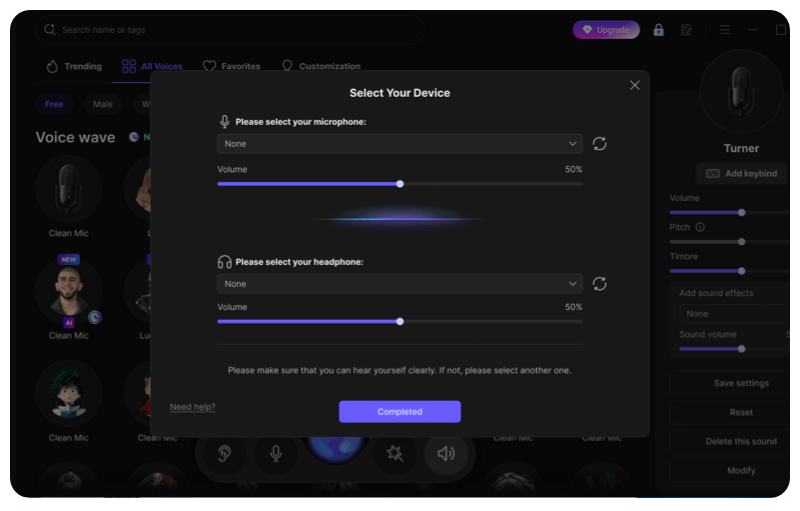
Step 2: Set up your audio
Configure your input/output devices, adjust sound settings, and customize any shortcuts you want to use during calls, games, or streams.
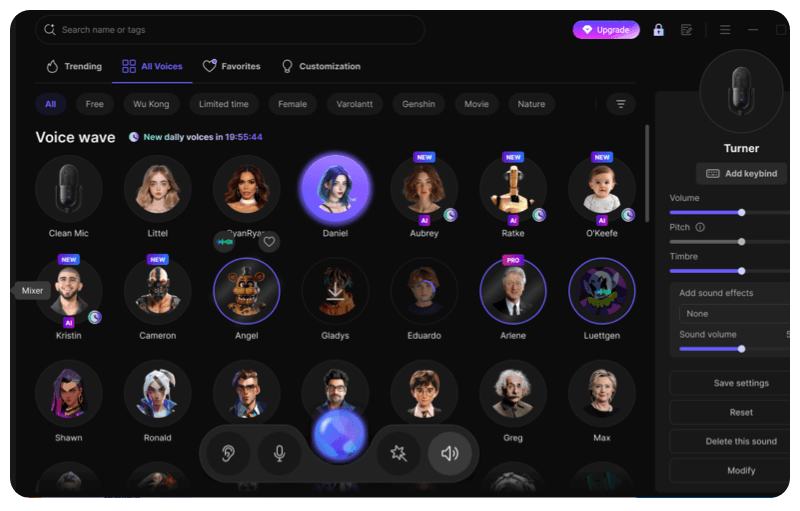
Step 3: Choose and apply a voice effect
Browse the available voice filters, select the one you like, and apply it instantly to start speaking in your new voice in real time.
Voicemod
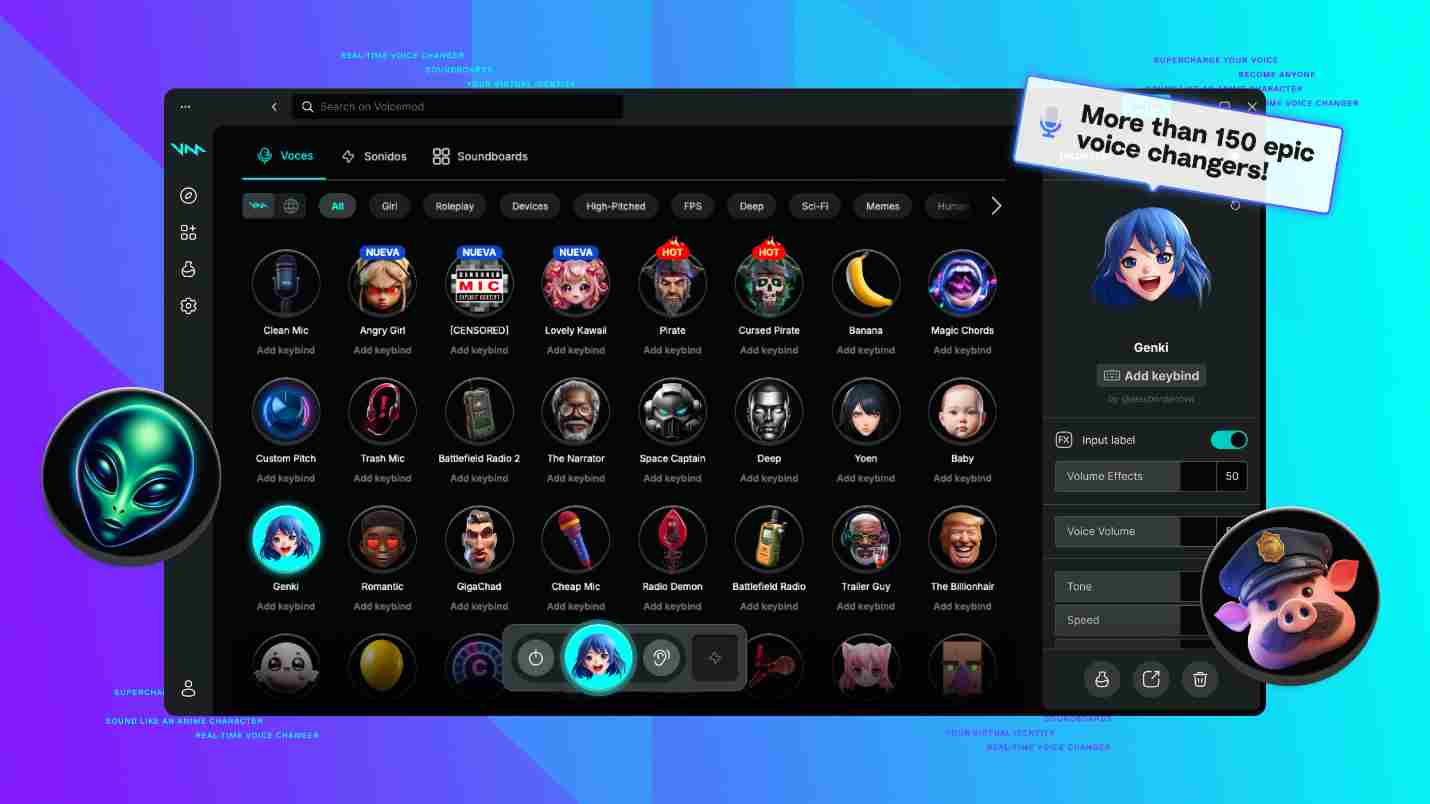
Voicemod is a similar powerful Kitboga voice changer alternative, where users can enjoy real-time voice effects, character voices, and a wide range of customization. As a result of its flawless execution and vast array of voice filters, Voicemod is compatible with the most used platforms such as Discord, Twitch, Roblox, Fortnite, GTA, Zoom, and OBS. In case you’re playing a game, streaming, or prank-calling like Kitboga, Voicemod is the tool that allows you to instantly switch to another character. In addition, its Voicelab is available to help you make or adjust your own custom voices if you happen to be trying to create characters like an old lady or a funny personality of Kitboga.
Key features
- 200+ real-time voice filters, including AI voices and themed effects
- Compatible with Windows 10/11 & macOS
- Works across Discord, Roblox, Fortnite, GTA, Skype, Minecraft, Valorant, and more
- Built-in noise suppression & voice enhancement for clear output
- Custom voice creation through Voicelab
- Soundboard with memes, effects, and community-generated sounds
- Keybind support to trigger sounds instantly
- Ultra-low latency designed specifically for streamers and gamers
Kitboga Voice Changer FAQs
Did Kitboga use a voice changer?
Yes. Kitboga relies on professional hardware voice changers, mostly the Roland VT-3 and GoXLR, to achieve its goals. By using these gadgets, he can alter pitch, tone, and formants on the fly, which allows him to create realistic characters and, at the same time, keep his identity hidden during scam-baiting calls.
What voice changer equipment do YouTubers use?
Some of the YouTubers rely on a set of different tools consisting of EaseUS VoiceWave, Voicemod, GoXLR, and Roland VT-3 to meet their individual requirements. Software choices do sound more alluring to gaming and streaming communities, whereas a hardware option offers a better quality, almost latency-free effect for a long session.
What different voice modulators can a streamer use?
Streamers generally choose EaseUS VoiceWave and Voicemod as their go-to sources for live AI voice effects and hardware such as GoXLR for superior audio control, thus enabling them to use their tools with ease on platforms like Twitch, YouTube Live, Discord, and OBS.
What did Kitboga do to change his voice?
Kitboga can change his voice through the process of real-time pitch shifting, formant adjustment, and audio mixing by means of the Roland VT-3 and GoXLR. With such a combination, he is virtually able to carry on interactions with characters—pretending, for example, to be a granny, a confused guy, a faceless robot kind of caller—plus at the same time, the sound stays flawless and natural throughout his long scam-baiting sessions.
Conclusion
Kitboga has turned scam-baiting into a kind of digital activism, which is also an amusing method to raise the community’s awareness of online fraud. His imaginative characters, perfect improvisation, and crafty way of using the voice-changing device to confuse the scammer and, at the same time, acquaint the viewers with the operation of such schemes are some of his unique methods.
In case you are motivated by his work or simply want to try different voices for gaming, streaming, or content creation, a tool like EaseUS VoiceWave is the easiest and most accessible way. With the real-time AI voice effects, many filters, and smooth compatibility with popular platforms, VoiceWave allows you to create the same different character voices as Kitboga and have the same freedom of work without needing expensive hardware.